

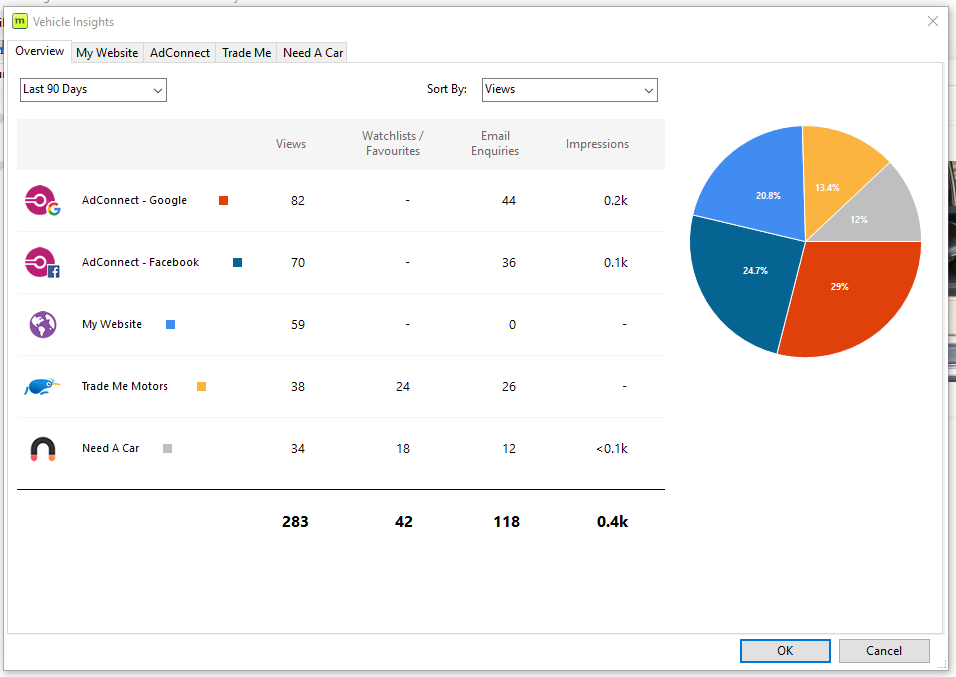
Vehicle Insights allow you to view the impressions, views and enquiry levels (where possible) being generated for each of your vehicles via the various advertising platforms you use.
To access Insights for one of your vehicles simply:
- Open the vehicle you'd like to investigate
- Click the Insights button located in the top menu

Once accessed you will be able to see various measurements of the performance of each of your advertising platforms.
Not seeing all your data?
You must connect some platforms to Motorcentral DMS. This will be indicated by a 'Currently not setup' message next to the platform. To connect please contact the Motorcentral Support team who will assist you.
Leave a comment
Please sign in to leave a comment.